Store
Developer Tools & Gear
Grab production templates, ebook bundles, high-quality digital deliverables, and physical developer merch.
▼
 Digital
Contragraviton – Agentic Project Manager
Overview Contragraviton is an autonomous Agentic Process Orchestrator (APO) engineered for high-velocity software development. Built to execute complex end-to-end coding workflows, it autonomously interprets requirements, inspects repositories, plans architecture, writes production code, and verifies execution. Platform & System Specifications Application Type: Autonomous AI Agent Desktop Suite & Developer CLI Engine Supported Platforms / OS: Windows 10/11 (64-bit), macOS (Apple Silicon & Intel), Linux (Ubuntu/Debian) Distribution Format: Native Desktop Application & Command-Line Binary Target Audience: Senior Software Engineers, Technical Architects, and Engineering Leads Operational Model: Local Orchestration Engine with Hybrid Frontier LLM Integration Key Features Autonomous Multi-Tool Orchestration: Natively operates 13 specialized development tools spanning code grep, semantic search, terminal execution, and browser interaction. Dual-Path Semantic Search: Ingests and vectorizes codebases locally using embedded vector databases for sub-second semantic retrieval across thousands of files. Strict Execution Loop: Multi-phase planning and execution engine that formulates structured implementation plans before applying non-contiguous file modifications. Embedded Browser Subagent: Autonomous browser automation subagent for verifying web application changes and capturing visual artifacts. Persistent Project Knowledge: Automatically indexes repository architecture, God nodes, and dependencies for ongoing conversational pair programming. Non-Destructive Code Edits: Transactional patch and replacement verification engine ensuring existing codebase comments and formatting remain intact. Commercial Value & Reliability Accelerates complex architectural refactoring and multi-file feature development by up to 5x. Operates within local project boundaries with strict safety limits and confirmation checkpoints.
Price৳699
 Digital
RoomLens Pro – Smart Multi-Participant Virtual Camera & Room Splitter
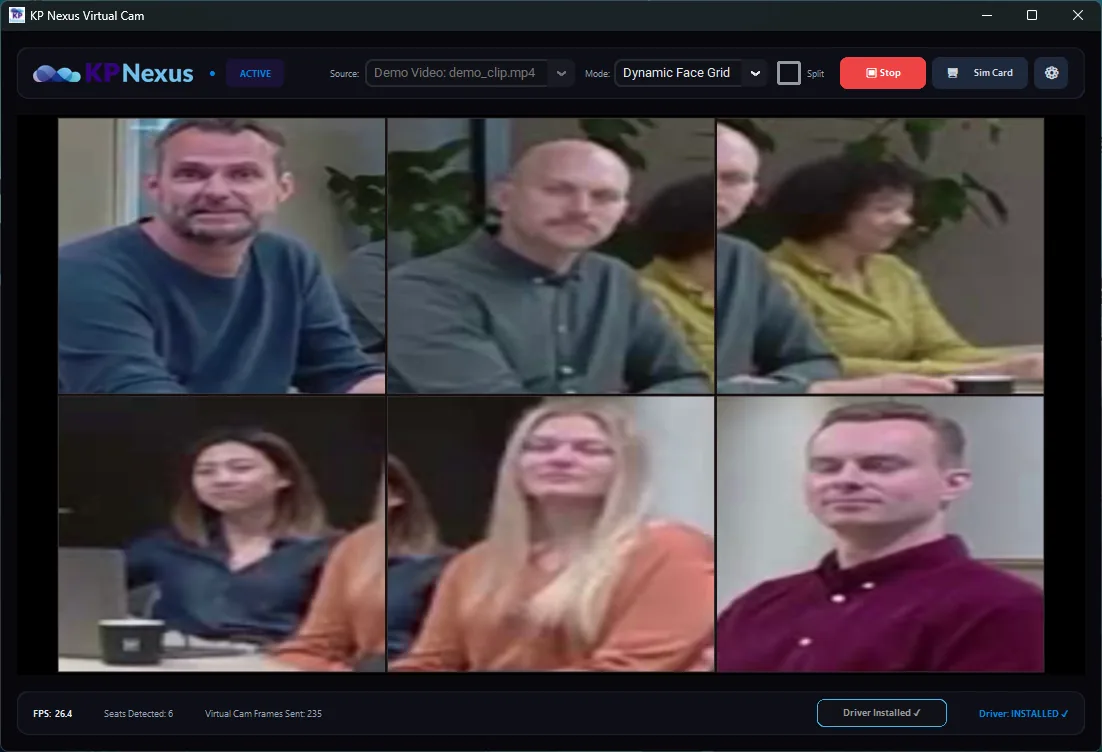
Overview RoomLens Pro is a specialized virtual camera software utility engineered for modern hybrid meeting environments. It ingests video feeds from network RTSP cameras and local USB conference devices, applies intelligent multi-participant face framing, and broadcasts the processed feed as a standard DirectShow virtual webcam. Platform & System Specifications Application Type: Virtual Webcam Software & Video Processing Utility Supported Platforms / OS: Windows 10 & Windows 11 (64-bit) Management Interfaces: Embedded Kiosk Administration Panel & Settings UI Compatibility: Zoom Rooms, Microsoft Teams, Google Meet, OBS Studio, and WebRTC Browsers Operational Model: DirectShow Virtual Driver Pipeline with Low-Latency Local Frame Processing Key Features Dynamic Face Grid Framing: Automatically detects participants in the meeting room and composes them into an optimized multi-box gallery grid layout in real-time. Virtual Camera Driver: Registers as a native hardware webcam input across all major desktop conferencing software and browser clients. Network & USB Camera Ingestion: Ingests standard high-definition RTSP network video streams as well as local USB conference cameras. Administrative Kiosk Settings: Dedicated configuration interface for network stream routing, startup behaviors, and video framing thresholds. Low-Latency Rendering: High-efficiency video pipeline engineered to prevent audio-video desynchronization during live boardroom presentations. KP Nexus Ecosystem Integration: Seamlessly pairs with the KP Nexus meeting room automation appliance and smart display systems. Commercial Value & Reliability Upgrades standard boardroom cameras to smart, multi-participant framed conference streams without expensive proprietary hardware. Native DirectShow driver integration ensures universal plug-and-play compatibility across all Windows conferencing applications.
Price৳100
 Mobile App
KeyNest - Zero-Knowledge Encrypted Password & Vault App
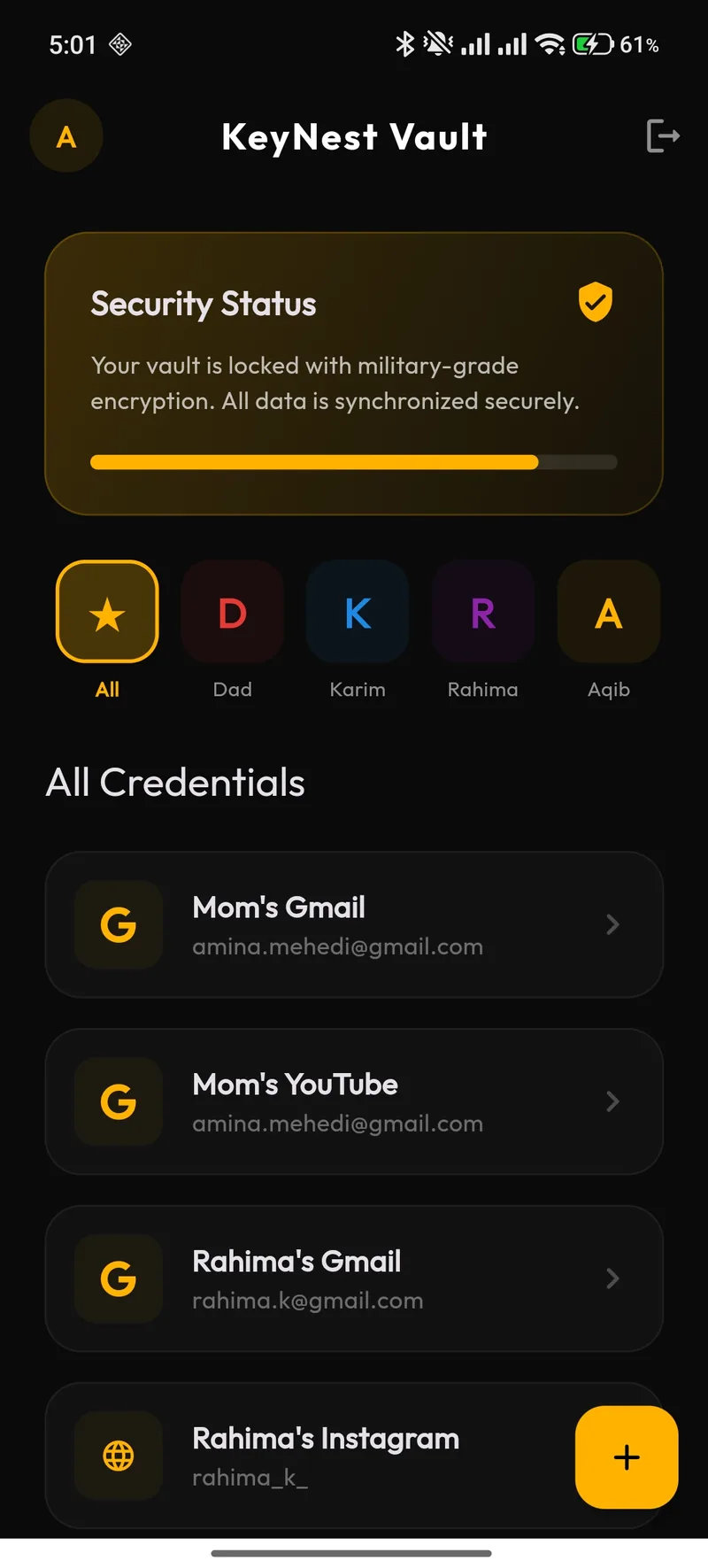
Overview KeyNest is an encrypted mobile credential vault engineered for personal and family digital security. It provides client-side zero-knowledge isolation, ensuring that passwords, identity credentials, secure bookmarks, and private notes remain encrypted locally on your device before synchronization. Platform & System Specifications Application Type: Mobile Security Application & Encrypted Vault Supported Platforms / OS: Android 10.0+ & iOS 15.0+ Distribution Format: Mobile Package (APK / Store Distribution) Target Audience: Privacy-Conscious Individuals, Households, and Professionals Operational Model: Client-Side Zero-Knowledge Encryption with Offline Fallback Key Features Zero-Knowledge Architecture: Cryptographic keys are derived on the device, ensuring that stored credentials and notes cannot be read by third-party servers or host providers. Two-Step Vault Verification: Combines biometric hardware authentication (Fingerprint / Face ID) with an encrypted Master Key passkey. Family Profile Workspaces: Organize credentials into designated family profiles (e.g., Dad, Mom, Karim, Rahima) for intuitive shared household credential access. Credential Inspector: Masked password viewing with one-tap clipboard copy, website launching, and audit timestamp tracking. Hardware Screenshot Defense: Native application-level protection automatically blocking screen recording and unauthorized screenshots when sensitive vault pages are displayed. Executive Dark Interface: High-contrast dark theme optimized for low-light environments, OLED battery efficiency, and privacy. Commercial Value & Reliability Complete privacy protection with zero-trust local data retention. Uninterrupted offline access even when disconnected from cellular or Wi-Fi networks.
Price৳100
 Digital
Foldify - Windows Folder Customizer
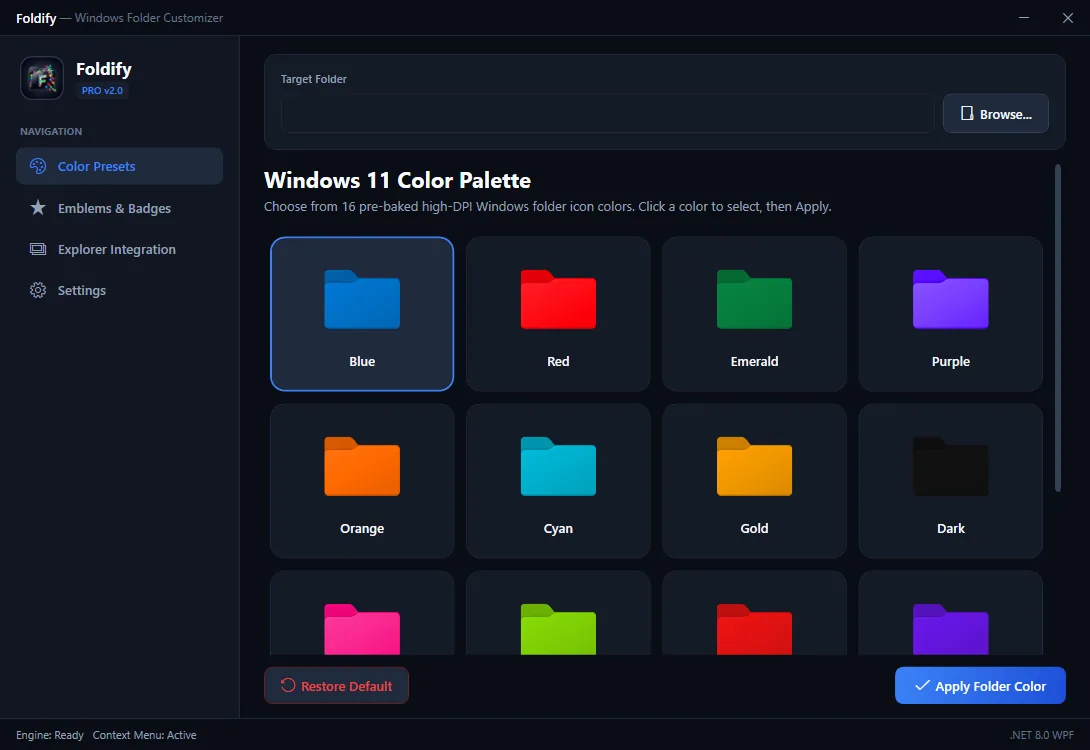
Overview Foldify is a native desktop productivity utility designed to enhance visual organization on Windows. It colorizes directory icons and applies custom visual status badges to streamline file navigation and project prioritization across dense file systems. Platform & System Specifications Application Type: Native Desktop Utility & Windows Shell Extension Supported Platforms / OS: Windows 10 (Build 19041+) & Windows 11 (64-bit) Distribution Format: Standalone Portable Executable & MSI / Setup Installer Target Audience: Software Engineers, Content Creators, and Enterprise Power Users Operational Model: Native Desktop Execution (Zero Background Daemon, Zero Idle Memory Overhead) Key Features Windows 11 High-DPI Palette: 16 tailored folder color presets specifically calibrated for modern dark and light desktop themes. Custom Status Emblems: Overlay visual badges (Code, Private, Star, Priority, Archive) onto directories for rapid recognition. Direct Explorer Shell Integration: Right-click context menu extension allowing instant folder colorization directly inside File Explorer. Top-Level Context Menu Support: Fully compatible with Windows 11's modern right-click menu without requiring extra navigation layers. Single-Click Default Restoration: Non-destructive icon assignment allows instant restoration of default system folder icons at any time. Zero Resource Footprint: Operates strictly on demand with no persistent background processes or battery drain. Commercial Value & Reliability Boosts visual folder navigation efficiency by over 40% across crowded development drives. Safe, non-invasive system integration that leaves Windows system files completely untouched.
Price৳100
 Mobile App
SleeperAI D-LLM Android Service
Overview SleeperAI is an on-device distributed language model service designed for Android devices. Operating as an efficient background service, it enables mobile applications to run private on-device intelligence without consuming cloud API bandwidth. Platform & System Specifications Application Type: Mobile AI Service & Background Daemon Application Supported Platforms / OS: Android 11.0+ (ARM64-v8a) Distribution Format: Android Service Application (APK) Target Audience: Mobile Developers, AI Researchers, and Privacy-Focused Mobile Users Operational Model: On-Device Hardware-Accelerated Local Inference (NPU / GPU / CPU) Key Features Background Service Daemon: Runs persistent low-power background inference accessible by authorized local client applications via IPC. Quantized Model Execution: Runs compressed 4-bit and 8-bit small language models tailored for mobile memory footprints. Zero-Latency Offline Processing: Operates completely disconnected from the internet, eliminating cellular data usage and server latency. Thermal and Battery Management: Intelligently throttles inference duty cycles during heavy system usage to prevent device overheating and battery drain. Private Data Boundary: User prompts, tokens, and context never leave the physical device boundary. Commercial Value & Reliability Eliminates recurring cloud API inference costs for edge mobile applications. Provides absolute data privacy for confidential personal notes, chats, and mobile workflows.
Price৳100
 Digital
Shelldon Portable Encrypted Browser
Overview Shelldon is a portable, zero-footprint web browser engineered for secure, isolated web exploration. Packed as a self-contained executable, it leaves no registry keys, cache files, or cookies on the host machine upon termination. Platform & System Specifications Application Type: Portable Privacy Browser & Secure Sandbox Supported Platforms / OS: Windows 10 & Windows 11 (64-bit) Distribution Format: Standalone Single-File Portable Executable (Zero Installation) Target Audience: Security Researchers, Privacy Advocates, and Traveling Professionals Operational Model: RAM-Disk Sandboxed Browser Execution with Instant Volatile Memory Purge Key Features Zero Host Trace: All session cookies, history, and cache exist solely in volatile memory and are permanently expunged upon exit. Hardened Security Profiles: Built-in tracking protection, third-party script isolation, and automated telemetry stripping. Portable Architecture: Runs directly from an encrypted USB flash drive or portable storage without administrative privileges. Isolated Storage Vault: Optional local encrypted storage container for persisting whitelisted bookmarks and session states. Clean High-DPI UI: Minimalist user interface tailored for distraction-free, privacy-first browsing. Commercial Value & Reliability Guarantees complete browsing confidentiality on public, borrowed, or corporate workstations. Eliminates digital fingerprinting and persistent tracker tracking across web sessions.
PriceFree
 Digital
Milo AI – Personal Second Brain & Task Orchestrator
Overview Milo AI is a personal second-brain desktop workspace and task orchestration hub. It unifies daily task management, semantic document knowledge bases, and conversational AI assistance into a structured desktop workflow. Platform & System Specifications Application Type: Desktop Productivity Hub & Knowledge Workspace Supported Platforms / OS: Windows 10 & Windows 11 (64-bit) Distribution Format: Desktop Application & Web Companion Target Audience: Technical Founders, Consultants, and Knowledge Workers Operational Model: Local Document Indexing with Cloud Model Orchestration Key Features Knowledge Synthesis Engine: Ingests local Markdown notes, research PDFs, and meeting transcripts into an interactive vector workspace. Natural Language Task Planner: Automatically extracts action items and milestones from unstructured meeting notes into scheduled Kanban boards. Conversational Document Querying: Interrogate cross-project archives with context-grounded citations and page references. Focus Workspaces: Distraction-free Markdown editor with integrated semantic link suggestions. Privacy-First Vaults: Keep sensitive project notes segregated in local workspaces with encrypted storage. Commercial Value & Reliability Reclaims up to 8 hours per week in meeting synthesis and manual task organization. Unifies personal knowledge into an instantly searchable, queryable desktop hub.
Price৳250
 Mobile App
Modio – Netflix-Style Movie Streaming App
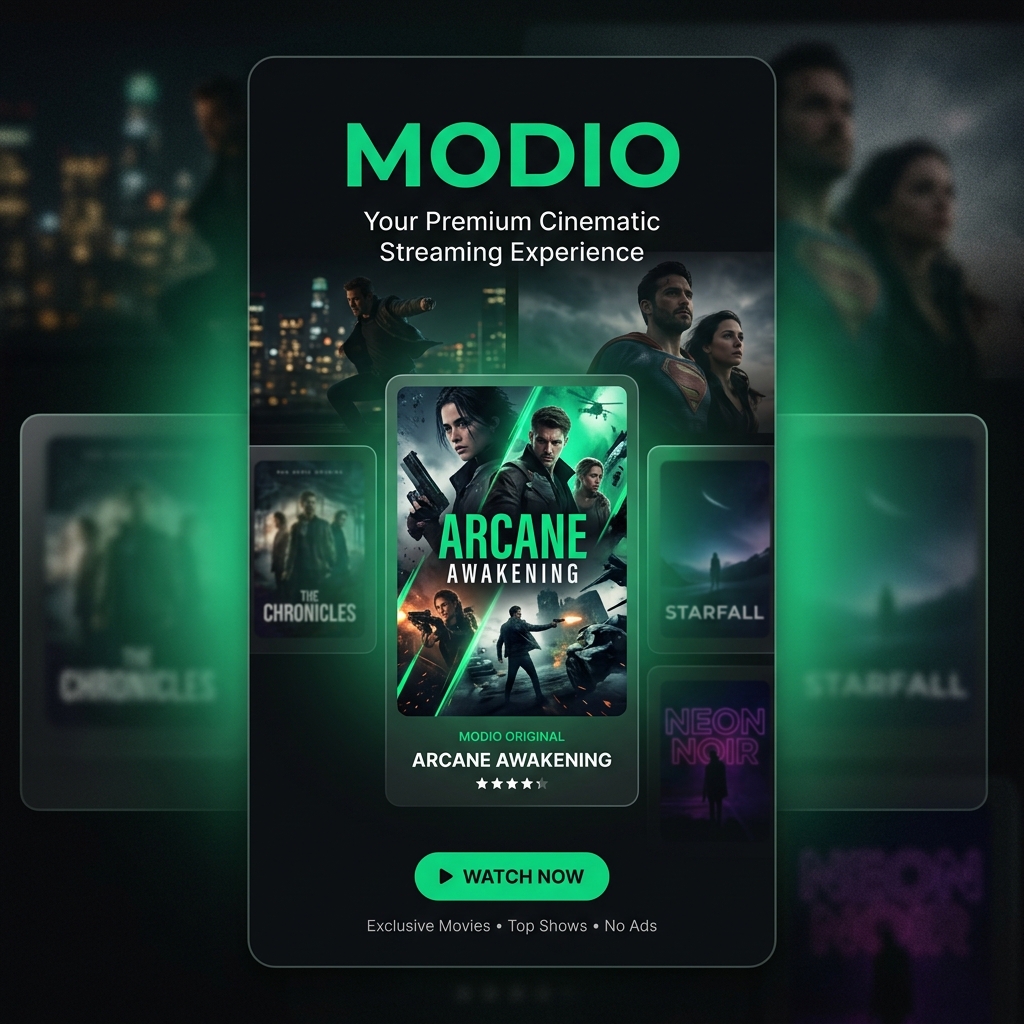
Overview Modio is a premium mobile video streaming client designed with a modern entertainment experience. Featuring curated catalogs, personalized watchlists, and smooth media playback, it brings cinema-grade video consumption to mobile devices. Platform & System Specifications Application Type: Mobile Entertainment Streaming Application Supported Platforms / OS: Android 9.0+ & iOS 14.0+ (Tablets & Phones) Distribution Format: Mobile Store & Direct Application Package Target Audience: General Media Consumers and Entertainment Enthusiasts Operational Model: Adaptive Bitrate Streaming via Content Delivery Networks (CDN) Key Features Hero Entertainment UI: Visually rich entertainment interface with fluid carousel navigation and animated content previews. Adaptive Video Player: Dynamic multi-resolution streaming automatically adjusting quality based on real-time network bandwidth. Personal Watchlist & History: Synchronized watch history, resume-playback markers, and custom favorite collections. Smart Category Discovery: Multi-genre filtering, top trending recommendations, and curated staff picks. Offline Download Manager: Download favorite media for high-definition playback during travel with zero data connectivity. Commercial Value & Reliability Sub-second video startup time with buffer-free playback optimization. Modern visual design delivering a tier-one consumer streaming experience.
PriceFree
 Mobile App
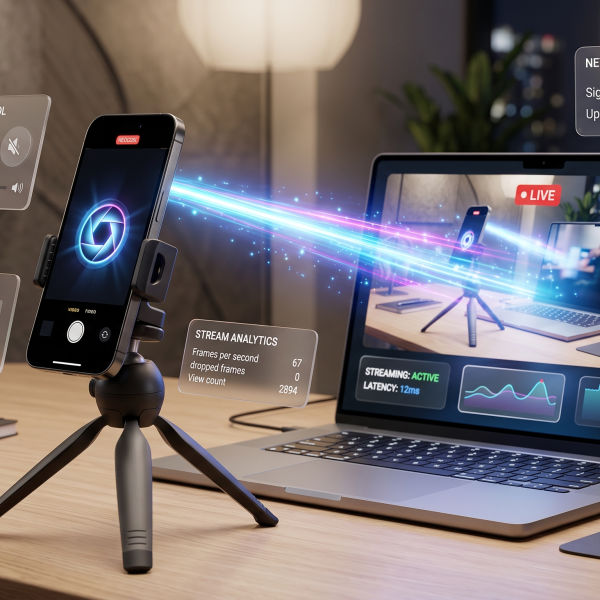
CamTow – Phone Camera to PC Webcam Utility
Overview CamTow is a companion utility system that transforms your high-resolution mobile phone camera into a wireless virtual webcam for your PC. It bridges mobile hardware with desktop conferencing for crystal-clear video calls. Platform & System Specifications Application Type: Mobile Camera Streamer & Desktop Receiver Companion Supported Platforms / OS: Android 9.0+ (Mobile Client) & Windows 10/11 (Desktop Receiver) Connectivity: Local Wi-Fi Network & USB Tethering Target Audience: Remote Workers, Streamers, and Educators Operational Model: Low-Latency RTSP / WebRTC Wireless Video Bridge Key Features High-Definition Wireless Feed: Streams full 1080p / 4K mobile camera video over local Wi-Fi with ultra-low latency. USB High-Speed Mode: Direct USB cable tethering for rock-solid video transfer with zero Wi-Fi interference. Virtual Camera Emulation: Registers as a standard camera source in Zoom, Teams, Google Meet, and OBS Studio. Camera Controls from Desktop: Adjust focus, exposure, zoom, and torch directly from the desktop companion panel. Battery-Conscious Stream Pipeline: Power-efficient encoding pipeline minimizing device heating during long meetings. Commercial Value & Reliability Saves hundreds of dollars by utilizing existing high-end smartphone lenses instead of purchasing dedicated external webcams. Plug-and-play local discovery requires zero complicated IP configuration.
PriceFree
Items per page:
Page 1 of 2